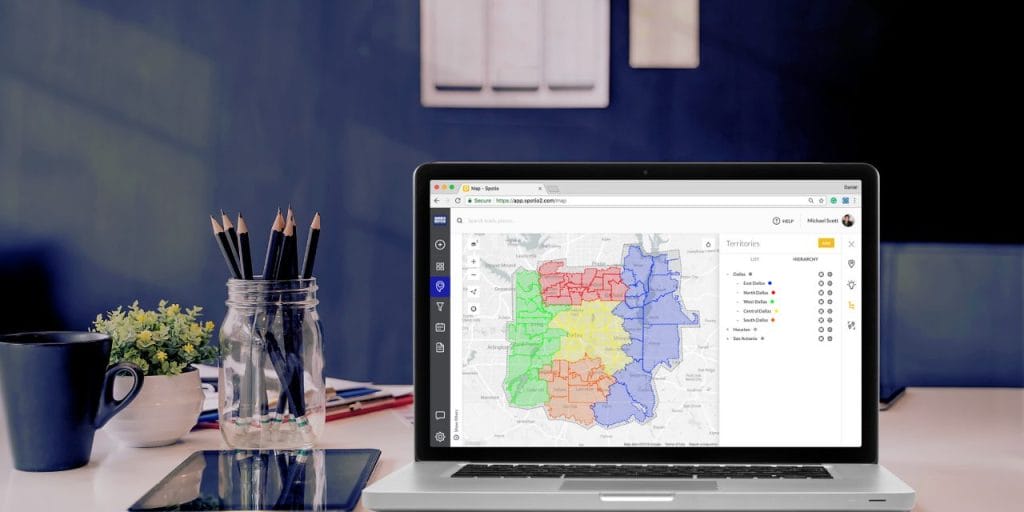

You know the math doesn’t add up. Your team’s overall revenue looks fine — maybe even growing — but half your reps are missing quota and your best territory is carrying everyone else. The other territories? One’s overloaded, two are underworked, and somebody just quit, which means 200 accounts aren’t getting touched until you backfill.
That’s a territory management problem. Not a hiring problem, not a motivation problem — a territory problem.
Territory management isn’t a once‑a‑year planning exercise. It’s the operating system that ties together rep assignments, workload balance, field visibility, and accountability. When it works, reps know where to go, leadership can see what’s happening, and quota attainment follows. When it breaks, everything downstream — pipeline, morale, retention — breaks with it.
This guide covers what territory management is, why it matters more than most leaders think, and how to build a territory plan that holds up in the field. We’ll also look at what top teams do differently, the mistakes that sink everyone else, and how to evaluate software that can support all of it.
Go deeper on any subtopic:
- How to Build a Sales Territory Plan
- Sales Territory Mapping: The Complete Guide
- Sales Territory Design: 10 Steps to Higher Productivity
- Sales Territory Alignment: When and How to Realign
- Territory Sales Manager: Role, Skills, and Success
- How to Attack a New Sales Territory
- Territory and Quota Planning
What Is Sales Territory Management?
Sales territory management is how you divide your market into defined segments — by geography, industry, account size, product line, or a combination — and assign those segments to specific reps. Done well, every account gets coverage and every rep has a realistic path to quota.
In practice, it’s the set of daily decisions that determine which doors get knocked, which accounts get follow‑up, which reps see which leads, and whether leadership has visibility into any of it. It touches routing, workload, data capture, coaching, and retention — not just the boundaries drawn on a map. Design is one component. Management is the ongoing discipline of executing against that design, monitoring performance, and adjusting when the data says something isn’t working.
Why Territory Management Matters
The Revenue-Quota Paradox
SPOTIO’s 2026 State of Field Sales survey found that found that 73% of field sales organizations grew revenue in the past year. But only about a 35% have 70% or more of their reps consistently hitting quota.
The gap between those two numbers is a territory management problem. When territories aren’t balanced, some reps have more opportunity than they can work while others are set up to fail. Revenue can still grow in a favorable market — but it’s growing despite your execution, not because of it. When conditions tighten, teams without territory discipline feel it first.
This is the revenue-quota paradox, and it starts with how territories and quotas are connected.
The Turnover Connection
In the survey, two-thirds of field sales organizations reported losing more than 30% of their sales force every year. The cost isn’t just recruiting and ramp time. It’s a territory coverage cost. Every departure means accounts go unworked, pipeline stalls, and remaining reps absorb extra load, which accelerates the next departure.
Unbalanced territories are a direct contributor. When one rep is drowning in accounts and another is coasting, the rep who’s drowning burns out and leaves. The rep who’s coasting never builds the skills or urgency to perform. Neither situation leads to retention.
The Visibility Gap
When reps enter data at the end of the day — or worse, at the end of the week — managers can’t see that a territory is underperforming until it’s too late to course correct. Among struggling B2C teams in our survey, 60% rely on manual end-of-day data capture. Among top-performing teams, only 33% do.
The teams that solve territory management also solve the visibility problem — because digital territory tools reduce data capture to a single tap during the rep’s normal workflow, not a separate task at the end of the day. That shift gives managers a real-time view of which territories are being worked, which are idle, and where coverage is falling short.
Types of Sales Territories
Your territory structure should reflect what actually drives revenue in your business. Most field sales organizations use one of five approaches.
| Territory Type | Best For | Example |
|---|---|---|
| Geographic | Physical presence drives the sale | Solar, roofing, pest control, industrial distribution |
| Industry-based | Product knowledge or regulations vary by vertical | Healthcare IT, manufacturing equipment, metals trading |
| Account-based | Strategic value varies by customer size | Enterprise vs. SMB segmentation, high-value residential |
| Product-based | Portfolio too complex for one rep | Multi-line insurance, telecommunications, diverse product lines |
| Hybrid | Most mature field sales orgs | Geographic base + industry or account-size overlay |
Most field sales teams combine approaches — geographic boundaries with industry or account-size overlays — to balance coverage with specialization. For field teams, geography is almost always the foundation because your reps have to physically get to the account. Drive-time radius, account density per ZIP code, and route efficiency matter more than they do for inside sales teams working a phone and a screen.
For a deep dive on mapping approaches, see our complete guide to sales territory mapping. If you’re entering a new market from scratch, see how to attack a new sales territory.
How to Build a Sales Territory Plan
Territory planning should be a quarterly discipline, not a once-a-year exercise. But the initial plan follows a consistent five-step framework.
Five-Step Framework
1. Analyze your market data. Pull CRM data on customer locations, deal sizes, purchase frequency, and competitive density. Look for where revenue clusters, which segments have the highest close rates, and where white space exists. In B2B, overlay firmographic data; in B2C, overlay household data relevant to your offer.
For field sales specifically, add a layer most guides skip: physical viability. Not every address on a lead list is accessible. Gated communities, secured office parks, vacant lots or seasonal residences create phantom territories that look full on paper but can’t be worked in practice. One of our CX team’s most common onboarding discoveries is reps assigned 200 leads where half are in a gated community they can’t access. Build your territory model around accounts your reps can actually reach.
2. Evaluate your team. Match rep strengths to territory needs. Your top closer might handle 15 high-value accounts with long sales cycles while a newer rep manages 40 smaller accounts with faster turns. Balance by opportunity, not headcount.
3. Define boundaries and ownership rules. Set clear limits: geographic, industry-based, account-size thresholds, or a combination. Then document the rules that prevent conflict: who owns inbound leads in each territory? What happens with multi-location accounts? How are referrals across territory lines handled? Fuzzy boundaries guarantee disputes.
4. Set measurable goals per territory. Monthly revenue targets, weekly visit or activity minimums, conversion rate benchmarks, new account acquisition numbers. Align these to the actual revenue potential in each territory, not to a flat number divided equally across all reps.
5. Plan routes and schedules. Calculate optimal routes that minimize drive time and cluster visits geographically. Route optimization can free up enough time for two or more additional customer meetings per day. Build routes that prioritize high-value visits and account for appointment windows.
See our complete sales territory planning guide for templates and a more detailed breakdown of each step.
Territory Management Best Practices
Solid territory design is the starting point. Keeping it working is the harder part. The practices below come from SPOTIO’s survey data and from patterns our customer success team sees across hundreds of field sales organizations.
Use Digital Territory Management — Not Spreadsheets
Manual processes that work for a team of five break down past 20 reps. Spreadsheets can’t show coverage gaps in real time. They can’t prevent two reps from working the same lead. They don’t sync with your CRM or mobile devices. Past a handful of reps, the difference between a spreadsheet and a platform becomes a performance difference — and our survey data confirms it. At that point, you need a field sales execution platform like SPOTIO to keep territories current and activity visible.
One caveat: if all you need is a one-time territory rebalancing, there are simpler point solutions that can handle that. SPOTIO is built for the ongoing work — daily field execution, real-time visibility, territory performance tracking over time. Know which problem you’re solving before you evaluate tools.
Standardize Naming Conventions and Hierarchy
Naming conventions rarely make anyone’s priority list — until a new VP tries to pull a territory performance report and discovers every team named their territories differently.
A telecom company managing a large 1099 contractor workforce had massive inconsistency across vendor teams: random naming conventions, no territory hierarchy, lists that were impossible for anyone outside the original creator to navigate. Leadership couldn’t pull reports or make decisions about where to deploy vendors because the data wasn’t structured consistently. After rebuilding the territory structure with parent/child hierarchies and standardized naming, leadership gained visibility at the regional level for the first time.
One detail that catches teams off guard: territory hierarchy often isn’t visible in mobile apps the way it appears on a desktop. On mobile, reps typically see a flat, searchable list. Naming conventions need to make sense at the individual territory level, not just in a tree view that only managers see.
Balance Workload by Revenue Opportunity
Two reps with 50 accounts each aren’t balanced if one covers enterprise clients with $100K deals and the other handles residential customers with $5K deals. Balance by total addressable revenue, not account count.
Calculate the revenue potential in each territory. Factor in deal size, sales cycle length, market penetration (saturated vs. underdeveloped), and route density. Then adjust boundaries so each rep has a realistic path to quota.
This also affects retention. For example, on a small team of five reps, losing one top performer isn’t just a 20% headcount reduction — it can be a 40% revenue hit when territories are built around individuals rather than repeatable systems. Design territories that survive personnel changes.
For a detailed breakdown of territory design principles, see our territory design guide.
Automate Field Data Capture
Every hour a rep spends on manual data entry is an hour they’re not in front of a customer. Reclaiming just 5 percentage points of admin time — about 2 hours per week per rep — increases a team’s total selling capacity by nearly 12%, with no additional headcount. (The math: if reps currently spend 16% of their week on admin and you cut that to 11%, you’ve freed roughly 2 hours per week that shifts directly to selling time.) For a 10-person team, that’s the equivalent of adding more than one full-time seller.
The best territory data is a byproduct of the rep’s daily work, not an extra chore. Mobile tools that let reps log activities with one tap — with GPS coordinates attached to each logged activity — and sync to the CRM in real time give managers territory visibility without burdening reps with end-of-day paperwork.
Review and Realign Quarterly
Territories drift out of balance faster than most leaders expect. Accounts churn, new leads enter the pipeline, reps develop new skills or leave, and competitors enter or exit markets. A territory plan that was balanced in January can be badly skewed by April.
One enterprise customer addresses this by closing underperforming market areas on a rolling basis and redirecting resources to higher-potential territories. Regular data export and refresh cycles prevent territories from drifting out of alignment.
Build a quarterly review cadence with defined triggers for realignment: territory saturation, hiring new reps, adding a vendor team, entering a new market, discovering non-viable areas (gated communities, uninhabited zones), private equity-driven growth targets, or sustained underperformance in a market.
The goal is to shift from management by observation (“I think Dave’s territory is struggling”) to management by exception (“Dave’s territory is 30% below penetration target in the north quadrant — let’s look at why”). Bring data to these reviews, not opinions. Look at revenue per territory, visit frequency, conversion rates, and market penetration. Adjust boundaries based on what the numbers show — and communicate changes to the team with context so reps understand the reasoning.
Leader’s Pro Tip: The “Grandfather” Strategy. When realigning territories, the fastest way to lose a top rep is to take away a closing deal. Use a “90-day Grandfather Clause”: if a deal is in Stage 4 or later, the original rep keeps it for 90 days. After that, it stays with the new territory owner. This prevents reps from “hiding” leads to avoid losing them during a shift.
For the full realignment process, see our territory alignment guide. Territory sales managers play a critical role in monitoring coverage and surfacing the signals that trigger realignment.
Common Territory Management Mistakes
Letting Reps Work the Same Leads
When territory boundaries aren’t clear — or aren’t enforced digitally — reps end up working the same prospects. A roofing and storm restoration company discovered this across their entire team. Homeowners were telling reps “you were just here five minutes ago.” Reps didn’t know they were overlapping because no one could see the full picture. Every duplicated visit wasted selling time and damaged the company’s credibility.
The fix is two-sided. First, set clear digital boundaries so every address falls inside exactly one territory. Second, configure visibility settings to control which reps can see which leads. Visibility controls serve two purposes that seem contradictory but aren’t: they give leaders more visibility into field activity while restricting rep access so no one can cherry-pick or poach accounts from a neighboring territory. Once this company implemented both, the overlap disappeared.
Leader’s Pro-Tip: The “No-Fight” Rules. Maps have lines, but deals can be messy. What happens when a customer has an office in one territory but the actual project is in another? Or if a lead pops up right on the border? Don’t wait for the argument to happen. Decide now who gets the credit in those “gray areas.” Writing these simple rules down saves you from playing referee every Friday afternoon.
Assigning Territories That Can’t Be Worked
A beverage distribution company built territories by city boundaries for their West Coast retail accounts. But after mapping those territories against actual account locations, they discovered that 60–80% of some territories were uninhabited land — mountains, farmland, nature preserves. Reps had been assigned territories with almost no viable accounts.
This problem shows up in residential sales too. A vendor gets assigned 200 leads in a territory, and half are in a gated community they can’t access. Or a storm restoration team gets assigned a neighborhood that was already re-roofed after the last storm.
The fix: map territories against actual account or household density, not just geographic boundaries. Validate that the addresses in each territory are reachable, viable, and match your ideal customer profile before you assign a rep.
Running “Set It and Forget It” Territory Plans
A territory plan that hasn’t been reviewed in two quarters is almost certainly out of balance. Customer buying behavior shifts — SPOTIO’s survey identified this as the number-one external challenge across both B2B and B2C organizations. Markets that converted well six months ago may not convert today.
This data offers a warning signal. Some teams currently hitting quota but experiencing high turnover might look healthy on the surface, but they’re one or two departures away from sliding into crisis. Stale territory assignments that haven’t been reviewed in quarters are often the underlying cause.
Territories that aren’t adjusted periodically leave significant growth on the table. The longer you wait, the wider the gap becomes. Build the quarterly review cadence described in the best practices section above and treat your territory plan as a living system, not a static document.
Scaling Before Standardizing
Scaling before standardizing is often the most expensive mistake on the list — because by the time you see it, you’re often already too big to fix it cheaply.
B2B teams in the 6–15 rep range hit 0% elite attainment in SPOTIO’s survey, with 59% experiencing turnover above 30%. This is the “Professionalization Trap” — the stage where informal territory assignments that worked for five reps collapse under the weight of fifteen. Adding headcount to a broken process doesn’t solve the problem. It multiplies it.
Document your territory assignment process, naming conventions, ownership rules, and routing standards before you grow past 10 reps. It is far cheaper to build the right processes for a small team than to untangle the habits of a large one.
Territory and quota planning are inseparable at this stage — quotas that aren’t connected to territory potential create the exact imbalance that drives turnover.
How to Choose Territory Management Software
Once you’ve decided to move from spreadsheets to a platform, the evaluation process matters. Not all territory management tools solve the same problem.
What to Look For
Visual territory mapping. You should be able to draw boundaries, assign reps, and see coverage gaps on an interactive map. Support for ZIP code-based, county-based, and custom-drawn (polygon) territories is table stakes.
Mobile-first design. Field reps work from phones, not desks. The tool must function fully in the field — including offline in areas with poor connectivity. If the mobile experience is an afterthought, adoption will be too.
Real-time CRM sync. Bi-directional integration with Salesforce, HubSpot, Dynamics, or your CRM of choice. Updates made in the field should appear in the CRM immediately, and CRM changes should sync to the mobile app without delay. No end-of-day batch uploads.
Route optimization. Efficient path calculation between appointments, integrated with territory assignments so reps stay inside their boundaries while minimizing drive time. SPOTIO calculates optimal routes, then hands off to Google Maps or Waze for turn-by-turn navigation.
Activity tracking with location verification. One-tap activity logging with GPS coordinates attached to each logged activity, so managers can see what’s actually happening in each territory — not what reps remember to type hours later.
Prospect discovery. For B2B, the ability to tap businesses on a map and pull contact info from Google Places. For B2C, tools like SPOTIO’s Lead Machine that filter residential prospects by up to 15 data points matching your ideal customer profile. Reps should be able to find new opportunities without leaving the territory view.
Follow-up sequences. Enrollment-based sequences that guide reps through next actions after each interaction — send a proposal, schedule a follow-up, update deal stage — so nothing falls through the cracks.
Scalable territory hierarchy. Parent/child structures that let regional managers oversee multiple local teams without losing detail. As you grow, your territory structure needs to grow with you.
Red Flags
Watch out for tools that only handle one-time territory design with no ongoing execution features — they solve the initial problem but leave you without daily operational support. Be cautious of platforms with no mobile app, platforms that require manual data entry to keep territories current, or integrations that only sync in one direction.
Pipeline visibility isn’t territory visibility. If a platform tracks deals through stages but can’t show you which physical territories are being worked, which are idle, and where reps are actually spending their time — it’s a CRM feature, not a territory management solution.
SPOTIO for Territory Management
SPOTIO is a field sales execution platform built for teams with 5 or more reps. It connects territory mapping, route optimization, activity tracking, and CRM sync into a single mobile-first platform. Teams using SPOTIO see an average 46% boost in rep productivity and 23% increase in sales revenue. See how it works →
Frequently Asked Questions
Start with geographic boundaries based on customer density and realistic drive time. Then overlay account size, industry, or revenue potential so each territory offers comparable earning opportunity — not just similar account counts. Assign reps based on strengths and capacity: your best closer might handle 15 high-value accounts while a newer rep works 40 smaller ones. Review and adjust quarterly as conditions change.
Document clear ownership rules before conflicts happen: who owns inbound leads by territory, how multi-location accounts are handled, how cross-territory referrals get credited. Use digital territory mapping that displays visual boundaries so every rep knows exactly where their coverage starts and stops. When disputes arise, follow a defined path: rep‑to‑rep conversation first, then manager review with CRM data, then a leadership decision if needed.
Revenue per territory, customer visit frequency, lead-to-close conversion rate, cost-to-serve (travel expenses relative to deal size), and market penetration (what percentage of addressable accounts are active customers). Pull these monthly by territory and by rep. The most actionable metric is penetration rate — a territory with 200 accounts and 8% penetration tells a very different story than one with 50 accounts and 40% penetration. Look for patterns over time — a single bad month may be noise, but two consecutive quarters of declining conversion in a territory signals a structural problem.
Conduct formal quarterly reviews using performance data, market changes, account churn, and team capacity shifts. Don’t wait for a crisis. Common triggers for mid-quarter adjustments include hiring new reps, losing a team member, entering a new market, discovering non-viable territory areas, or sustained underperformance in a specific region. Document every change and communicate the reasoning to the team.
Territory mapping is one component of territory management — it’s the act of visualizing customer locations, drawing boundaries, and assigning reps to geographic areas. Territory management is the broader discipline that includes mapping plus ongoing execution: tracking field activity, monitoring performance by territory, maintaining data visibility, adjusting boundaries over time, and holding reps accountable to territory-specific goals.
Harvard Business Review found that territory design alone can lift revenue 2–7% without changing strategy or resources. Teams using SPOTIO report an average 46% boost in rep productivity and 23% increase in sales revenue — driven by reduced windshield time, better territory coverage, and real-time performance visibility. The ROI compounds over time as territory data improves and review cadences become routine.
Take Control of Your Territories
The top-performing field sales teams didn’t get there by working harder. They invested in territory management as a continuous operating system — digital tools, clear ownership rules, real-time visibility, and quarterly realignment disciplines that compound over time.
The majority of teams are leaving performance on the table — and most don’t feel the urgency because revenue is still growing. That won’t last. The execution gap catches up when the market tightens.
The playbook is clear: move from spreadsheets to digital territory management, standardize your processes before you scale, and automate data capture so visibility becomes a byproduct of the work. Then, review territory performance quarterly using data — not opinions.
SPOTIO’s territory management platform brings territory mapping, route optimization, activity tracking, and CRM sync together in a single mobile‑first system built for field sales teams. Teams using SPOTIO see an average 46% boost in rep productivity and a 23% increase in sales revenue. Schedule a demo to see how quickly you can turn your territories into a predictable growth engine.