
Field sales reps lose nearly a third of every workweek to admin — logging visits, updating the CRM, figuring out which street to hit next. That’s time they’re not spending at the door, where deals actually happen.
One enterprise telecom provider saw what happens when you fix that problem. After rolling out a dedicated door knocking app, they increased doors knocked by 92% year over year and grew their win count from 1,570 to 2,858 in just two quarters. The difference wasn’t more reps. It was better tools.
This guide breaks down what door knocking apps actually do, the features that matter for field sales teams, and how the leading platforms compare — so you can pick the right one for your operation.
What Is a Door Knocking App?
A door knocking app is mobile software that helps field sales reps manage their entire door-to-door workflow from their phone — territory assignments, route planning, lead tracking, activity logging, and CRM sync.
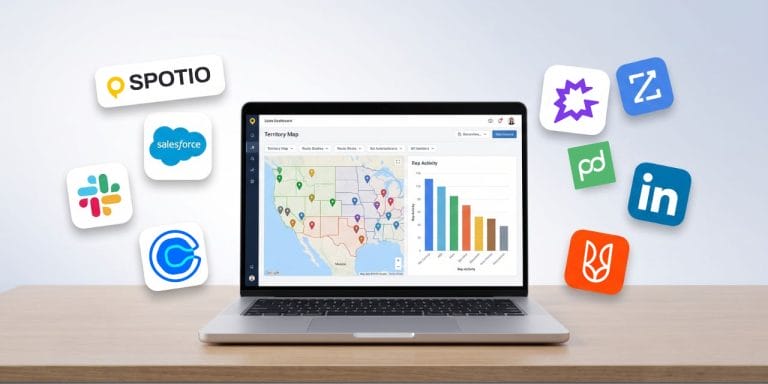
Think of it as the difference between a rep working off a printed spreadsheet and sticky notes versus a rep who can see their territory on a map, tap a pin to log a visit, and have that data flow into the CRM before they reach the next door.
How It Works in the Field
Here’s what a typical morning looks like for a roofing sales rep using a door knocking app:
- 7:30 AM — Open the app and see today’s assigned territory with color-coded pins showing which homes have been visited, which need follow-up, and which are untouched.
- 7:45 AM — Generate an optimized route that minimizes driving between stops. The app accounts for appointment times and clusters nearby addresses.
- 8:15 AM — Arrive at the first door. Before knocking, pull up the lead card to review homeowner details and any notes from previous visits.
- 8:20 AM — After the conversation, tap to log the visit outcome, snap a photo of storm damage, and schedule a follow-up. One tap logs it, and SPOTIO syncs the data to your CRM in real time.
- 8:22 AM — The app routes to the next stop. Repeat until the territory is covered.
That entire workflow — territory review, routing, lead intelligence, activity logging, photo capture, and CRM sync — happens inside one app. No clipboard, no separate GPS, no end-of-day data entry marathon.
Who Uses Door Knocking Apps?
Door knocking apps are built for teams that canvass neighborhoods street by street. The heaviest users fall into B2C field sales verticals:
- Roofing and storm restoration — canvassing after weather events
- Telecommunications and fiber — door-to-door service area expansion
- Home services — HVAC, pest control, lawn care, security/alarm
- Home improvement — windows, siding, remodeling
Real estate agents also use dedicated knocking tools, but those platforms are designed around farming neighborhoods for listings — a different workflow from field sales teams working to close same-visit or short-cycle deals.
Benefits of a Door Knocking App
Smarter Route Planning
Every minute a rep spends in the car is a minute they’re not at a door. The best door knocking apps generate optimized routes between stops, cutting windshield time and putting reps in front of more prospects per shift.
Instant Access to Lead Details
Knowing who lives behind the door before you knock changes the conversation. Door knocking apps surface prospect details — homeowner name, property data, previous visit notes — directly on the rep’s phone. Instead of cold-knocking blind, your team walks up prepared.
Fewer Missed Follow-Ups
A single door knock rarely closes a deal. The money is in the follow-up. Door knocking apps with built-in multichannel sequences let reps trigger follow-up emails, texts, and call reminders directly from the field. Leads don’t slip away because follow-up is built into the system, not dependent on the rep’s memory after a full day of knocking.
Less Time on Admin
Salesforce’s most recent State of Sales report found that reps spend roughly 70% of their week on non-selling tasks. For field reps, that admin burden is even heavier — driving logs, handwritten notes, end-of-day CRM updates. A good door knocking app cuts that with one-tap activity logging, GPS-verified check-ins, and real-time data sync. The goal is simple: more doors, less paperwork.
Essential Door Knocking App Features
Not every feature matters equally. Here’s what separates a basic pin-drop app from a platform that actually drives revenue:
Territory Management and Mapping
Your reps need to know exactly where to go and where not to go. Look for apps that let managers create territories by zip code, county, or custom-drawn boundaries — then assign them to specific reps with clear permissions. Bonus: territory-level performance reporting so you can see which areas are producing and which need adjustment.
Route Optimization and Distance Tracking
Route optimization isn’t just “fastest path between two points.” For door knocking, it means clustering nearby addresses into efficient walking or driving sequences so reps cover a full territory without backtracking. Route distance calculation gives managers visibility into travel across the team each month.
Lead Tracking and CRM Integration
Every knock should create a record. The app should capture visit outcomes, notes, photos, and next steps — then sync all of it to your CRM without the rep touching a desktop. If your door knocking app doesn’t integrate with Salesforce, HubSpot, or your CRM of choice, your field data lives in a silo.
Multichannel Follow-Up
The best platforms let reps enroll leads into follow-up sequences that combine visits, calls, emails, and texts. Look for apps that support multichannel communication directly from the mobile device — not just logging, but actual outreach.
Activity Reporting and Dashboards
Managers need visibility into what’s happening in the field: doors knocked, visit outcomes, appointments set, pipeline generated. Custom reporting dashboards that break down activity by rep, territory, and time period help you coach with data instead of guesswork.
Mobile-First Design
This matters more than most buyers expect. Some field sales platforms were built for desktop and bolted on a mobile app later. A true door knocking app is mobile-first — fast load times, offline functionality for dead zones, and a UI designed for one-handed use between stops.
Evaluating door knocking apps for your team? Visit the SPOTIO comparison hub → to see how the top platforms stack up on features, pricing, and G2 ratings.
Top Door Knocking Apps Compared
| Feature | SPOTIO | SalesRabbit | Ecanvasser | Knockbase |
|---|---|---|---|---|
| Best For | Field sales teams needing a full execution platform | D2D teams wanting free entry + gamification | Telecom and political canvassing operations | Home services teams new to digital canvassing |
| G2 Rating | 4.5/5 (387 reviews) | 4.5/5 (426 reviews) | 4.3/5 (limited reviews) | Not rated on G2 |
| Territory Management | ✓ | ✓ | ✓ | ✓ |
| Route Optimization | ✓ | ✓ | ✓ | ✓ |
| CRM Integration | Salesforce, HubSpot, and others | Salesforce, HubSpot, and others | Salesforce, HubSpot, 5,000+ apps | Limited |
| Multichannel Sequences | ✓ (AutoPlays) | ✗ | ✗ | ✗ |
| AI-Assisted Field Workflows | ✓ (DASH AI) | DataGrid AI (lead scoring) | ✗ | ✗ |
| Offline Mode | ✓ (Download My Day — up to 24 hrs) | ✓ | ✓ | ✗ |
| Free Tier | No (demo available) | Yes (Lite — 1 seat) | 7-day trial | Trial available |
| Digital Business Cards | ✓ | ✗ | ✗ | ✗ |
| Prospecting Data | Lead Machine (15 data points) | DataGrid homeowner data | Verified household data (US) | Property data |
What Sets SPOTIO Apart for Field Sales
SPOTIO is built specifically as a field sales execution platform — not a canvassing tool adapted for sales, and not a CRM with a mobile app added on. The difference shows up in how the features connect.
A rep using SPOTIO doesn’t switch between a mapping app, a CRM, and a follow-up tool. Territory management, route optimization, door knocking, lead capture, multichannel follow-up sequences (AutoPlays), and CRM sync all happen inside one system. Managers get location-verified activity data — not self-reported logs — and can build custom reports by rep, territory, or time period.
DASH AI takes this further. SPOTIO’s AI co-pilot helps reps with visit preparation, one-tap activity logging, and drafting emails for reps to review and send between stops. Every action DASH suggests shows a confirmation preview before any change is written to the system — it’s a co-pilot, not autopilot.
Customer Result: One enterprise telecom/fiber provider increased doors knocked by 92% and knocks per rep by 85% after implementing SPOTIO. Their win count grew from 1,570 in Q1 2025 to 2,858 by Q3 2025. They now use SPOTIO to streamline workflows, onboard partners and agents, and drive stronger sales execution across the organization.
Key Capabilities:
- Territory Management — cut territories by geography or draw custom boundaries; assign to reps with hierarchical permissions
- Route Optimization — generate efficient routes between stops; route distance calculation based on planned routes
- AutoPlays — enroll leads into multichannel follow-up sequences combining visits, calls, emails, and texts (manual enrollment; reps choose which leads enter the sequence)
- Lead Machine — B2C prospect discovery with 15 data points including homeowner details, property data, and contact information
- DASH AI — AI co-pilot for visit prep, one-tap activity logging, and drafting personalized emails and texts for reps to review and send; every action shows a confirmation preview before syncing (human-in-the-loop)
- Location-Verified Check-Ins — GPS-stamped activity logging so managers see verified field activity, not self-reported data
- Download My Day — pre-load up to 24 hours of territory data; log activities offline and sync when reconnected
How to Choose the Right App
Match Features to Your Sales Process
A five-rep roofing crew running one metro market has different needs than a 200-rep telecom operation spanning three states. Before evaluating tools, answer these questions:
- How many reps will use the app daily?
- Do your reps canvass on foot (walking neighborhoods) or by car (driving between appointments)?
- Does your team need multichannel follow-up, or do you handle that in the CRM?
- How important is offline functionality for your territories?
- What CRM does your team use, and how critical is real-time data sync?
The answers will narrow your shortlist fast. Teams that need territory management, multichannel sequences, and CRM integration in one platform will gravitate toward SPOTIO. Teams that want a lightweight free entry point for individual reps may start with SalesRabbit Lite — though teams that outgrow it quickly should review the top SalesRabbit alternatives before committing.
Questions to Ask During a Demo
Don’t let a polished demo distract you from what matters. Ask these:
- Can I see the app on a phone, not just the desktop dashboard?
- How does offline mode work — can reps log full activities without signal?
- What does CRM integration actually look like — real-time sync or batch upload?
- How long does onboarding take for a new rep?
- Can I see a report showing doors knocked, visit outcomes, and pipeline by territory?
The best door knocking app is the one your reps will actually use every day. If the mobile experience is clunky, adoption dies — and so does your field data.
Frequently Asked Questions
Most free door knocking apps are limited to a single user with basic pin-drop mapping and route planning — enough to test the concept, but not enough to run a team. If you’re an individual rep exploring the category, free tiers from tools like Knockio or Harvast can get you started. For teams of 5 or more reps that need territory management, multichannel follow-up, and CRM integration, paid platforms like SPOTIO provide the full execution layer that free tools can’t match.
Digital door knocking refers to using mobile apps and software to manage the door-to-door sales process digitally — replacing clipboards, paper maps, and manual logs with GPS-verified territory maps, one-tap activity logging, and real-time CRM sync. It doesn’t mean knocking virtually; it means making the physical knocking process smarter with technology.
Not for most teams. Door knocking apps handle the field workflow — territory assignment, routing, knocking, and lead capture. Your CRM handles the full pipeline, deal stages, and customer lifecycle. The best setup is a door knocking app that integrates with your CRM so field data flows in automatically. SPOTIO integrates directly with Salesforce, HubSpot, and other platforms for this reason.
The strongest apps use GPS-verified check-ins — the rep taps to log an activity, and the app stamps it with a verified location. This gives managers reliable data on where reps actually visited, versus self-reported logs that may not reflect reality. Look for apps that provide location-verified activity tracking, not just GPS breadcrumbs.
Many teams report getting reps productive within one to two weeks, depending on CRM integration complexity and team size. The key factors are how intuitive the mobile experience is and whether reps can learn the tool while working their territory, rather than sitting through training sessions. Apps built mobile-first tend to onboard faster.
Start Knocking Smarter
The gap between a good field sales team and a great one usually isn’t talent — it’s tools. When your reps spend less time on admin and more time at the door, pipeline follows.
SPOTIO customers see an average 23% increase in sales revenue through shorter cycles, higher close rates, and territories that actually produce. If you want to see what that looks like for your team, request a free demo — a SPOTIO rep will walk you through the platform live, including territory management, AutoPlays, and DASH AI.

Brian Reinhart is the Chief Technology Officer at SPOTIO. He is an enthusiastic software leader, architect and entrepreneur with extensive knowledge of web technologies, mobile development, and enterprise B2B solutions. His professional interests include building top tier engineering teams, AI/Machine Learning, Security, gaming, big data, and more. Brian has lead the engineering teams for several successful startup exits and has started several companies such as Vellum Interactive, Inc and Cocoa-Mag.