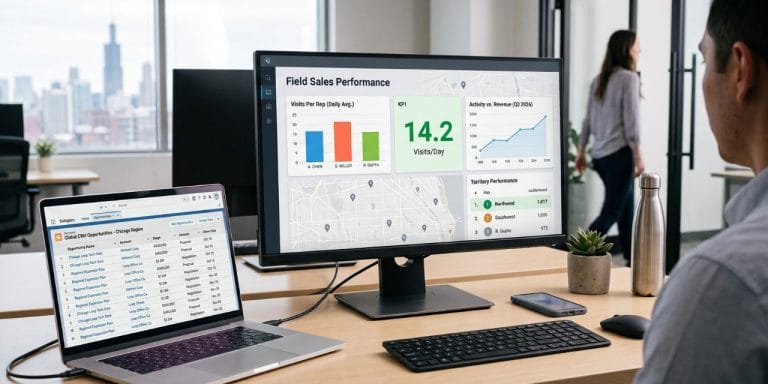
Construction sales teams juggle bids that take months to close, subcontractors across multiple job sites, and field reps who spend more time driving than selling. Generic CRMs weren’t built for that.
SPOTIO’s 2026 State of Field Sales research found that field reps spend just 43% of their day on actual selling, with 21% lost to admin tasks and data entry. For construction teams managing bids, site visits, and subcontractor coordination, that admin tax hits even harder.
This guide ranks the 10 best construction CRM platforms for 2027, segmented by the type of construction work you do: residential, commercial, or specialty trade.
Disclosure: SPOTIO is our product and appears on this list. We’ve applied the same evaluation criteria to every tool, including our own.
How We Selected These Tools
We evaluated construction CRM platforms on four criteria: construction-specific feature depth (bid tracking, territory management, field mobility, offline access), G2 ratings with a minimum review threshold, integration compatibility with construction tech stacks (estimating, project management, accounting), and pricing transparency. Tools are grouped by best-fit use case rather than ranked by an arbitrary overall score.
Quick Comparison: Best Construction CRM Platforms
| Platform | Best For | Starting Price | G2 Rating | Mobile App | Construction-Specific |
|---|---|---|---|---|---|
| SPOTIO | Construction field sales teams | Custom quote | 4.5/5 (400+ reviews) | Yes (offline) | Field sales focus |
| Buildertrend | Residential builders and remodelers | ~$8,000–$10,000/yr | 4.3/5 | Yes | Yes (native) |
| Procore | Enterprise commercial contractors | Custom (enterprise) | 4.6/5 (4,100+ reviews) | Yes | Yes (native) |
| JobNimbus | Roofing and exterior specialists | Custom quote | 4.7/5 | Yes (offline) | Yes (native) |
| Pipeline CRM | Construction sales pipeline management | $25/user/mo | 4.4/5 (933 reviews) | Yes | Yes (vertical) |
| HubSpot CRM | Small construction businesses (free start) | Free; paid from $20/seat/mo | 4.4/5 | Yes | No (general) |
| Salesforce | Enterprise construction teams | $25/user/mo | 4.4/5 | Yes | Partial (AppExchange) |
| Zoho CRM | Budget-conscious scalable teams | $14/user/mo | 4.1/5 | Yes | No (general) |
| Pipedrive | Visual sales pipeline management | $14/user/mo | 4.3/5 | Yes | No (general) |
What Makes a CRM Work for Construction
Not every CRM can handle construction workflows. Before evaluating specific tools, here are the three capabilities that separate a construction-ready CRM from a generic one.
Long Sales Cycles and Bid Tracking
Commercial construction deals often take six months or longer from first contact to signed contract. Your CRM needs custom pipeline stages that match construction milestones (quoted, bid submitted, negotiation, awarded, lost), deal aging alerts that flag stalled opportunities, and forecasting that looks out multiple quarters. If your CRM can’t show you which $500K bids have gone cold in the last 90 days, it’s not built for this work.
Mobile-First Field Access
Construction sales reps don’t sit at desks. They’re at job sites, driving between properties, and meeting prospects in driveways. A mobile CRM that works from a truck matters more than desktop features. Look for a mobile app that lets reps log visits, access prospect records, and view their territory map without cell signal. A 24-hour offline window is the baseline; anything less and your reps lose data at rural job sites.
Integrations With Construction Tools
At minimum, your construction CRM needs to connect with your accounting software (QuickBooks, Sage), your project management platform (Procore, Buildertrend), and your document storage. For field sales teams, two-way CRM sync is critical: field activity captured on a phone should flow into your system of record without manual re-entry. For specialty trades, look for measurement tool integrations (EagleView, HOVER) and estimating software connections.
Want the data behind these benchmarks? Read the 2026 State of Field Sales Report or download the PDF guides for B2B or B2C for survey results from field sales leaders on selling time, admin burden, and CRM adoption.
Best Construction CRM Software, Reviewed
1. SPOTIO
Best for: Construction field sales teams that need territory management, mobile activity tracking, and CRM sync
G2 Rating: 4.5/5 (400+ reviews)
SPOTIO is field sales execution software built for teams that sell in the field, not from a desk. For construction, that means reps prospecting commercial properties, selling roofing services after storm events, or covering home improvement territories neighborhood by neighborhood.
SPOTIO is not a project management platform. It doesn’t handle estimating, job costing, or subcontractor coordination. What it does is solve the field sales layer: territory assignment, route planning, activity capture, and pipeline visibility for managers. For teams that already run Salesforce, HubSpot, or another CRM as their system of record, SPOTIO sits on top and feeds field data back through two-way sync. For smaller teams that don’t yet have a CRM, SPOTIO’s lead tracking and pipeline management cover the basics while the team is field-focused.
One roofing company using territory mapping found that reps had been knocking the same doors because territories weren’t clearly defined. After mapping territories and assigning storm-event zones, they eliminated overlap and focused canvassing on the highest-opportunity neighborhoods.
Key Capabilities:
- Territory Management and Mapping — Assign leads geographically, visualize prospect density, and identify high-opportunity areas so reps work the right neighborhoods instead of overlapping each other.
- One-Tap Activity Logging — Log site visits, calls, and follow-ups with one tap or voice-to-CRM entry, each stamped with GPS verification.
- Offline Access (Download My Day) — Pre-download territories and customer data for 24-hour offline use. Reps stay productive at rural job sites or areas with poor connectivity.
- Two-Way CRM Sync — Connects with Salesforce, HubSpot, and other CRMs so field activity syncs to your system of record in real time without manual data entry.
- Sales Pipeline Tracking — Visualize opportunities from initial contact through signed contract with custom stages matching construction sales cycles.
- Route Planning — Build daily routes across multiple stops and navigate via Google Maps or Waze.
✅ What we like: Territory management is the standout for construction teams covering geographic areas. Location-verified activity logging gives managers proof of field execution without micromanaging. Offline mode works reliably at job sites.
⚠️ Watch out for: Not a project management tool. You’ll need a separate platform (Buildertrend, Procore) for post-sale project execution. Pricing is custom and not published.
Pricing: Custom based on team size and features.
“I use SPOTIO to manage my CRM, track lead nurturing stages, efficiently manage my client timeline, and choose high-value daily actions. It boosts efficiency by allowing me to categorize and easily locate businesses, optimizing my days when I’m on the road.” Verified User in Mid-Market | Read the full G2 review.
2. Buildertrend
Best for: Residential builders and remodelers who want CRM, project management, and financials in one platform
G2 Rating: 4.3/5 (232 reviews)
Buildertrend covers the full project lifecycle from lead to final walkthrough. Custom home builders, remodelers, and residential contractors get CRM, scheduling, client communication, and budget tracking in a single subscription. The client portal lets homeowners view selections, approve changes, and track progress, which cuts down status calls.
The real value is eliminating the gap between sales and delivery. When a deal closes, the opportunity becomes an active project without re-entering data into a separate PM tool.
Key Capabilities:
- Lead and Sales Pipeline — Track prospects from inquiry through contract with follow-up reminders.
- Project Scheduling — Gantt charts with dependencies keep jobs on track.
- Client Portal — Homeowners get 24/7 access to project updates and selections.
- Budget and Job Costing — Monitor costs against estimates in real time.
- Subcontractor Management — Coordinate subs with scheduling and COI tracking.
✅ What we like: The all-in-one approach eliminates data handoff between sales and project management. Client portal is a genuine differentiator for residential work.
⚠️ Watch out for: Pricing is quote-based and not transparent. Frequent feature updates can require re-learning workflows. Overkill for teams that only need sales CRM.
Pricing: Quote-based; industry estimates range from $8,000 to $10,000 annually for unlimited users.
“Buildertrend makes it easy to document my site visits, take photos, and keep both my team and the client updated at the same time. I can snap pictures and upload them right from the jobsite, which helps keep everything current and organized. I’m also able to assign tasks directly from my phone, which is really convenient when I’m on the go.” Triby W., Project Manager | Read the full G2 Review.
3. Procore
Best for: Mid-to-large commercial contractors managing complex, multi-stakeholder projects
G2 Rating: 4.6/5 (4,680+ reviews)
Procore is the enterprise standard for commercial construction. GCs running multi-million dollar projects with dozens of subcontractors use Procore to manage everything from preconstruction bidding through closeout and warranty. The CRM functionality lives inside a much larger platform that covers project management, financials, quality, and safety.
Key Capabilities:
- Preconstruction and Bid Management — Manage RFPs, track bids, prequalify subcontractors.
- Project Management Hub — Centralize RFIs, submittals, change orders, and drawings.
- Financial Management — Track budgets, process invoices, forecast costs.
- Quality and Safety — Conduct inspections, log incidents, maintain compliance.
- Document Management — Store plans, specs, and contracts with version control.
✅ What we like: Deepest construction-specific functionality of any platform on this list. 4,100+ G2 reviews signal massive industry adoption. Subcontractor prequalification is built in.
⚠️ Watch out for: Priced by annual construction volume, not per user. Expect five-figure annual commitments ($12,000+ for smaller firms, significantly more at enterprise scale). The CRM module is a feature inside a large platform, not a standalone sales tool.
Pricing: Custom enterprise pricing based on annual construction volume.
“Procore helps keep project information and day-to-day activities in one place. It reduces the need for manual follow-ups and makes it easier to track drawings, RFIs, submittals, tasks, and other project updates. Overall, it improves communication and gives the team better visibility of what is pending and who is responsible for it.” Santosh M., Assistant Manager | Read the full G2 review.
4. JobNimbus
Best for: Roofing contractors and exterior specialists (siding, windows, gutters)
G2 Rating: 4.5/5 (168 reviews)
JobNimbus is purpose-built for the roofing and exterior contractor workflow: lead capture from canvassing, project tracking through insurance claims, job scheduling, and photo documentation for adjusters. Storm-chasing roofing crews get a tool designed for how they actually sell and deliver.
Key Capabilities:
- Construction-Specific Pipeline — Stages match roofing workflows (inspection, estimate, insurance claim, production, invoiced).
- Photo Documentation — Capture and organize roof photos, damage reports, and before/after images tied to jobs.
- Estimating and Proposals — Build and send estimates on-site.
- Roofing Integrations — Connects with EagleView and HOVER for measurements, plus CompanyCam for photo management.
- Mobile App With Offline Mode — Log activities and access job data from the field.
✅ What we like: The deepest roofing-specific feature set available. Insurance claim tracking is a genuine differentiator. Automation builder handles follow-up sequences and task assignments.
⚠️ Watch out for: Custom pricing with no published tiers. Less suited to commercial GCs or residential builders who need broader project management.
Pricing: Quote-based; varies by team size.
“JobNimbus has allowed us to streamline our work into a single CRM, instead of needing multiple systems to achieve the same outcome. That not only saves us time, but also reduces overhead.” Sarah M., Office Manager | Read the full G2 review.
5. Pipeline CRM
Best for: Construction sales teams that want a dedicated sales CRM with transparent pricing
G2 Rating: 4.4/5 (933 reviews)
Pipeline CRM is a sales-focused CRM with a dedicated construction vertical. It handles bid-pipeline tracking, multi-stakeholder deal management, and mobile field access for construction sales teams. Unlike all-in-one platforms, Pipeline CRM stays focused on the sales side: tracking bids, managing contacts across owner/GC/architect roles, and helping reps close deals faster.
Key Capabilities:
- Multi-Contact Deal Management — Link multiple stakeholders (owner, GC, architect, subs) to one opportunity with roles and decision-maker flags.
- Visual Pipeline — Custom deal stages matching construction workflow (lead, qualified, estimating, proposal, negotiation, won/lost).
- Mobile App — Business card scanner, on-site lead capture, field activity logging.
- Native Integrations — QuickBooks, Outlook, Zapier, plus 1,000+ connections.
- Project Management Module — Post-close handoff from deals to projects, milestones, and tasks (Grow plan and above).
✅ What we like: Transparent per-user pricing is rare in this category. G2 support score of 9.2/10 is the highest in the construction CRM space. The multi-stakeholder deal management handles the owner/GC/architect complexity well.
⚠️ Watch out for: Not an all-in-one construction platform. You’ll need separate PM software for project execution. Advanced features require the Grow plan ($49/user/mo).
Pricing: Start: $25/user/mo. Develop: $33/user/mo. Grow: $49/user/mo. All billed annually.
“Pipeline CRM helps solve the problem of disorganized sales tracking by centralizing contacts, leads, and opportunities in one place. This makes it easier to follow up with prospects, prioritize deals, and improve conversion rates. It has improved our team’s efficiency and given us better visibility into the sales cycle.” Cristian C., Administrador | Read the full review on G2.
6. HubSpot CRM
Best for: Small construction businesses that want a free starting point
G2 Rating: 4.4/5 (14K+)
HubSpot CRM offers a free tier with contact management, deal tracking, and email integration for up to 2 users and 1,000 contacts. For small construction teams (under 10 employees) transitioning from spreadsheets, HubSpot delivers core functionality without monthly fees.
Key Capabilities:
- Contact and Company Management — Store contacts and track deals with no cost.
- Deal Pipeline Tracking — Drag-and-drop pipeline views.
- Email Integration — Gmail and Outlook sync with tracked emails.
- Website Forms and Live Chat — Capture leads directly into HubSpot.
- Mobile App — Access contacts and update deals from mobile.
✅ What we like: Genuinely usable free tier. Clean interface makes adoption painless for spreadsheet refugees. Scales to paid tiers with marketing tools as the business grows.
⚠️ Watch out for: Free plan capped at 2 users and 1,000 contacts. Not construction-specific. Paid tiers get expensive fast (Professional jumps to $100/seat/mo). No field sales features like territory mapping or offline access.
Pricing: Free tier; Sales Hub Starter at $20/seat/mo.
“Before HubSpot, prospect data, email follow-ups, and deal tracking were spread across spreadsheets and inboxes, which made it easy to lose track of conversations. Now sequences automate our follow-ups with C-level prospects, email tracking shows us who’s engaged, and the meeting scheduler handles booking across time zones.” Div G. Lead Sales Development | Read the full G2 review.
7. Salesforce
Best for: Enterprise construction teams with complex sales processes and deep customization needs
G2 Rating: 4.4/5 (27K+)
Salesforce is the enterprise CRM standard. Large construction firms with multiple divisions, complex approval workflows, and extensive integration requirements choose Salesforce for its customization depth and AppExchange ecosystem. Construction-specific apps extend functionality for bid management, project tracking, and compliance.
Key Capabilities:
- Customizable Sales Processes — Build tailored workflows with custom objects and automation.
- AppExchange Ecosystem — Access construction-specific apps for estimating, compliance, and project tracking.
- Einstein AI — Lead scoring and opportunity forecasting.
- Advanced Reporting — Custom dashboards tracking pipeline health and sales performance.
- Mobile CRM — Full-featured app for records and activities.
✅ What we like: The most customizable CRM on this list. AppExchange provides construction-specific extensions. If your org already runs Salesforce, adding construction workflows avoids a separate platform.
⚠️ Watch out for: Implementation complexity and cost. Most construction firms need Professional ($80/user/mo) or Enterprise ($165/user/mo) tiers. Requires admin resources to maintain. Not purpose-built for construction.
Pricing: Starter from $25/user/mo; most construction teams use Professional ($80/user/mo) or Enterprise ($165/user/mo).
“Salesforce Sales Cloud consolidates our opportunity management process effectively in the construction industry. It enhances visibility into our forecast pipeline, which is crucial for determining company projects. Additionally, it seems to be the best in class for CRM functionalities.” Kevin L., Operations Lead | Read the full G2 review.
8. Zoho CRM
Best for: Budget-conscious construction teams that want CRM basics at a low price
G2 Rating: 4.1/5 (2,960)
Zoho CRM delivers contact management, pipeline tracking, and email integration at a fraction of Salesforce’s cost. The broader Zoho ecosystem includes project management (Zoho Projects) and accounting (Zoho Books), so teams can expand without switching platforms.
Key Capabilities:
- Sales Pipeline Management — Drag-and-drop deal tracking.
- Lead Scoring and Assignment — Score leads and auto-assign by territory rules.
- Workflow Automation — Trigger follow-up emails and task creation.
- Mobile App — Log activities and scan business cards from the field.
- Zoho Ecosystem — Connect with Zoho Projects, Books, and 40+ other Zoho apps.
✅ What we like: Genuine value at $14/user/mo. Free tier for up to 3 users. The Zoho ecosystem provides a low-cost path to adding project management and accounting.
⚠️ Watch out for: Not construction-specific. Customization options are broad but can be overwhelming to configure. Mobile app is functional but not field-optimized. Support quality varies by plan tier.
Pricing: Free for up to 3 users; Standard at $14/user/mo.
“Zoho CRM solves the problem of managing customer information, tracking leads, and following up with prospects across different platforms. It keeps all customer data organized in one place, helps automate repetitive tasks, improves team coordination, and makes it easier to monitor sales performance.” Puneet S., Senior Analyst | Read the full G2 review.
9. Pipedrive
Best for: Small construction teams that want visual pipeline management without complexity
G2 Rating: 4.3/5
Pipedrive is a sales CRM built around a drag-and-drop pipeline view. Move deals from “Initial Contact” to “Quote Sent” to “Closed Won” with minimal clicks. For commercial contractors managing longer sales cycles or residential teams tracking dozens of quotes, the visual clarity helps keep nothing from falling through.
Key Capabilities:
- Visual Sales Pipeline — Drag-and-drop interface for every deal stage.
- Sales Automation — Follow-up emails, tasks, and pipeline movement on triggers.
- Email Integration — Tracked emails with templates for quotes and follow-ups.
- Mobile CRM App — Log activities and update deals from job sites.
- Reporting and Forecasting — Conversion rates and revenue projections.
✅ What we like: Intuitive interface means fast adoption even for non-technical reps. Transparent pricing. Good fit for teams that want pipeline visibility without the learning curve of Salesforce.
⚠️ Watch out for: No construction-specific features. No territory management. No offline mode. Automations require the Growth tier ($39/user/mo) or above.
Pricing: Lite from $14/user/mo; Growth at $39/user/mo. Billed annually.
“Pipedrive helps us qualify opportunities, improves follow-up, and gives better visibility into our business decisions. The automations and custom fields enhance our resource use and win strategy.” Jason A., Enterprise. | Read the full G2 review.
How to Choose the Right Construction CRM
The right CRM depends on two things: the type of construction work you do and whether you need a sales-only tool or an all-in-one platform.
Residential vs. Commercial vs. Specialty Trade
Residential builders and remodelers: You need CRM, project management, scheduling, and financials working together. Buildertrend is the standard for this use case. Smaller residential firms on a budget should evaluate Zoho CRM paired with a standalone PM tool.
Commercial contractors and GCs: Separate your sales CRM from your project management. Run Pipeline CRM or SPOTIO for deal tracking and field sales execution, layered on top of Procore for project delivery. Commercial subcontractors doing bid-heavy work should evaluate Followup CRM. For teams managing sales territory management across regions, a dedicated field sales tool prevents coverage gaps.
Specialty trades (roofing, siding, HVAC): JobNimbus is purpose-built for roofing and exterior workflows. For broader roofing software options, see our full breakdown. For contractor sales teams covering territory on foot or by truck, SPOTIO handles the field sales layer.
Sales CRM vs. All-in-One Platform
If your team already uses Procore, Buildertrend, or another PM tool, adding an all-in-one CRM means paying for features you’re already using. A dedicated sales CRM (SPOTIO, Pipeline CRM, Followup CRM, Pipedrive) slots in alongside your existing stack.
If you’re starting from scratch and want one platform for sales, projects, and financials, Buildertrend (residential) or Procore (commercial) covers the full lifecycle.
Before you commit: Test with real data and real field users. Have reps try the mobile app at an actual job site, not just in a demo. The best construction CRM is the one your team uses every day, and in construction, that means it has to work from a truck. For more on driving CRM adoption with field teams, see our adoption guide.
Frequently Asked Questions
It depends on your work. For field sales teams managing territories and prospecting, SPOTIO provides field sales execution for construction teams, optimized for mobile territory management and activity tracking. For residential builders managing full project lifecycles, Buildertrend is the all-in-one standard. For commercial GCs, Procore delivers enterprise-grade project management with CRM features. Budget-conscious small teams can start free with HubSpot or Zoho.
Free options exist (HubSpot, Zoho free tiers). Per-user CRMs range from $14 to $165/user/month depending on tier. All-in-one platforms like Buildertrend run $8,000 to $10,000 annually. Enterprise platforms like Procore and Salesforce use custom pricing with annual commitments that can exceed $20,000/year. Factor implementation costs (training, integrations) which can add 10–30% to first-year spend.
For teams of five or more reps, usually yes. Construction sales involves multi-stakeholder deals, bid tracking, long sales cycles, and field-based data entry. Generic CRMs handle none of these well out of the box. If your team is smaller or your sales process is simpler, a general CRM like HubSpot or Pipedrive with custom pipeline stages can work.
Most platforms integrate with QuickBooks, Sage, or Xero through native connections or Zapier. Buildertrend and Procore offer deep accounting sync (invoices, purchase orders, job costs). Sales-focused tools like SPOTIO and Pipeline CRM connect with your CRM system of record, which then bridges to accounting. Always verify your specific QuickBooks version (Online vs. Desktop) is supported before committing.
A CRM manages customer relationships and sales pipelines: lead tracking, communication history, bid management, and deal progression. Project management software manages execution after the contract is signed: scheduling, resource allocation, job costing, and closeout. Some platforms blend both (Buildertrend, Procore). Others specialize in one side: SPOTIO and Pipeline CRM focus on sales, while tools like Procore focus on project delivery.
Five features separate construction CRMs from generic ones: (1) multi-stakeholder deal management (track owner, GC, architect, and subs on one deal), (2) long sales cycle support with follow-up sequences over 6–18 months, (3) mobile-first field access with offline mode, (4) integrations with estimating, PM, and accounting tools, and (5) document management tied to deals for plans, bids, contracts, and COIs.
Ready to see how SPOTIO helps construction field sales teams close more deals? Request a demo to explore territory mapping, mobile activity tracking, and two-way CRM sync built for field sales.

Trey Gibson is the founder and CEO of SPOTIO, where he helps sales leaders build more efficient, high-performing field sales teams. With a background in entrepreneurship and as the founder of a roofing company, Trey brings hands-on experience leading door-to-door and B2B sales organizations. He combines real-world sales leadership with a passion for technology and operational efficiency to help teams scale, perform, and win more deals.
Research and drafting assisted by AI tools; all content is reviewed, fact-checked, and approved by Trey and the SPOTIO editorial team.