
Sales Route Planning Software
Turn Drive Time into Selling Time
Plan routes of up to 150 stops around booked appointments and your best opportunities. When the day changes, re-optimize from your phone. Reps fit up to 20% more customer visits into each day with SPOTIO.

G2 Leader, Fall 20264.5/5 · 400+ reviews
“SPOTIO makes route tracking easy with flexible pin options. 5 Stars!”
Jack, Salesman, Mid-Market, G2 review

Route Planning Built for Field Sales, Not Delivery Trucks
Sales route planning software decides which customers and prospects each rep should visit, and in what order, around the appointments already on the calendar. Delivery and field service routing tools look only for the shortest drive. SPOTIO plans routes around your sales priorities: deal stage, last visit result, and account value sit on every map pin, so reps spend the day on the stops most likely to close.
FOR SALES REPS
Sales Rep Route Planning That Fits More Visits into the Day
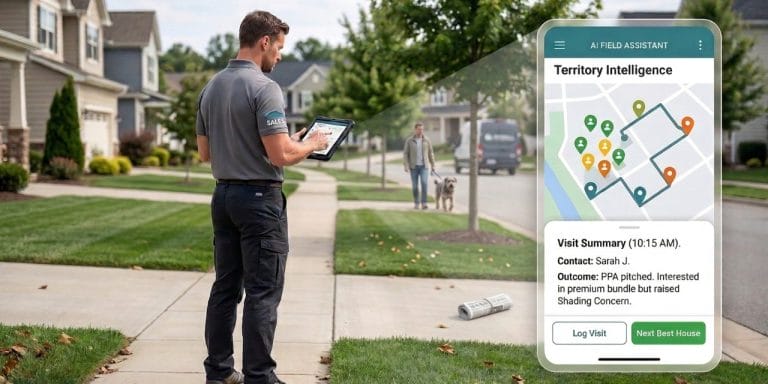
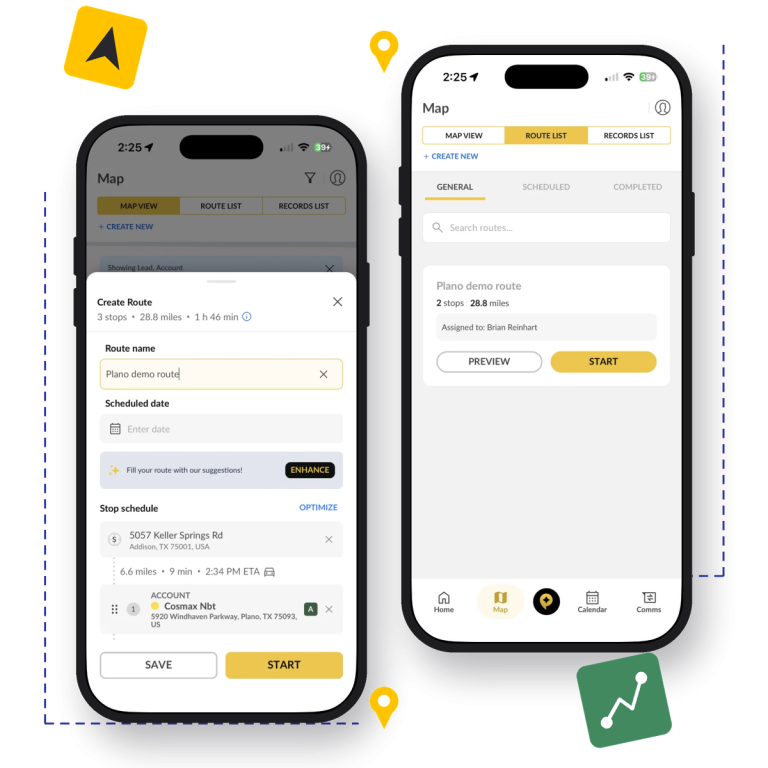
Reps pick the day’s stops on the map, lasso a cluster of nearby leads, and SPOTIO puts them in the most efficient order around booked appointments. Route planning that used to take an hour with a spreadsheet and a map app takes a few minutes.
Less backtracking means less fuel and mileage and more time in front of customers. Reps fit up to 20% more customer visits into each day.
Route optimized · 12 stops

FOR SALES MANAGERS
Plan Routes for Your Whole Sales Team
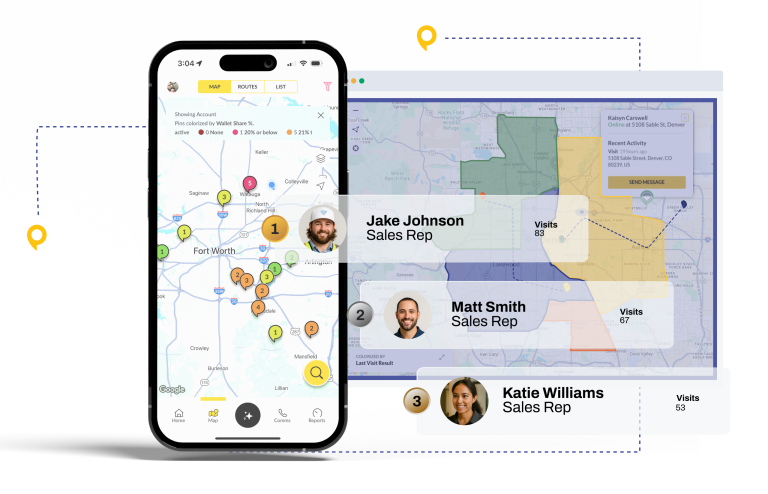
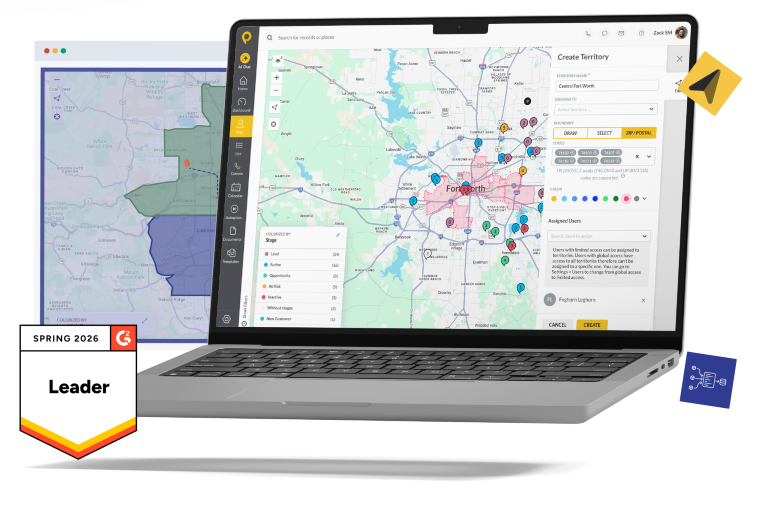
Managers build routes on the web app and assign them to reps, so every territory gets covered on a plan instead of by habit. Saved route templates turn recurring visits, like a monthly loop of key accounts, into a standard every rep follows.
Location-verified visits then show which planned stops happened. See the full record with sales rep tracking.
3 routes assigned · 1 per rep
WEB AND MOBILE
Field Sales Route Planning That Keeps Up with the Day
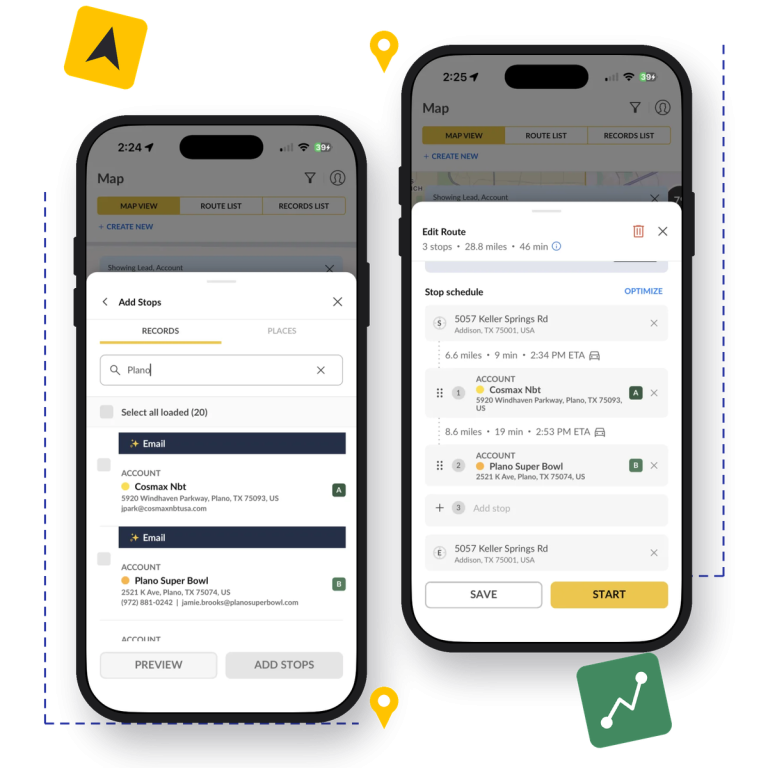
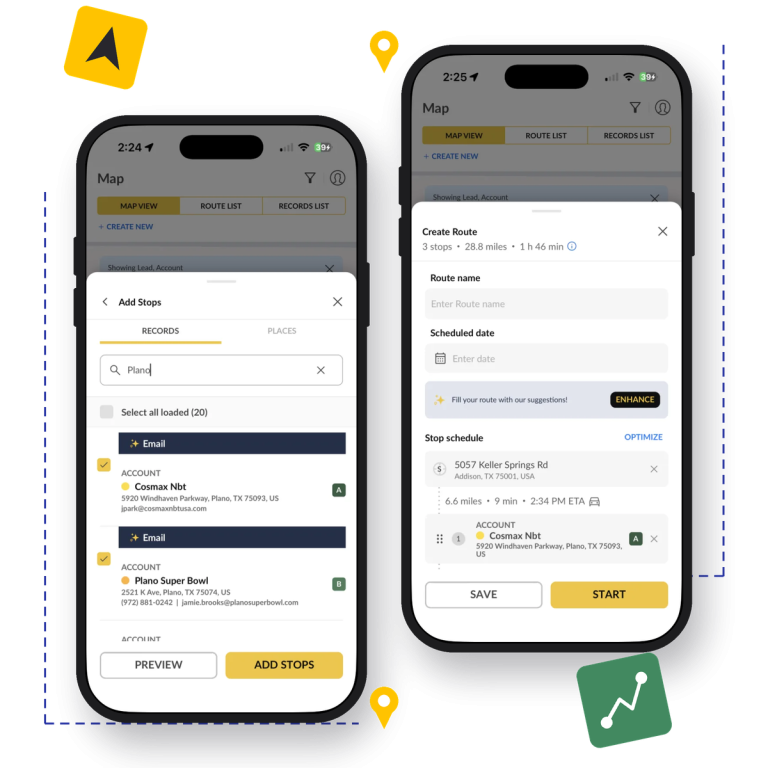
Build routes on a big screen, then run them from the SPOTIO mobile app. When a meeting cancels or a hot lead calls back, reps drag stops into a new order, or lasso nearby leads, and re-optimize the route from their phone.
Every stop opens the customer’s history, so reps walk in prepared. Learn more about the field sales mobile CRM.
Stop added · Route updated
CRM CONTEXT ON EVERY PIN
Route to Your Best Opportunities First
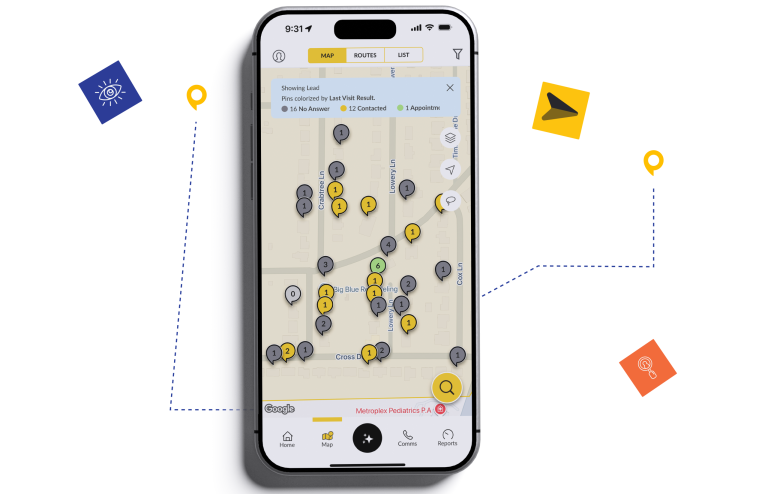
Every map pin carries CRM data. Color-code pins by deal stage, last visit result, or any custom field, filter the map down to hot leads, and build the route from there, so the highest-value meetings happen first.
Next Best Action scores every account and recommends which one to visit next, with a plain-language reason. Next Best Action is a paid add-on.
Next Best Action: Visit
Trusted by Top-Performing Field Sales Teams











Everything You Need to Plan Sales Routes
The route planning tools reps and managers use every day, on the web and in the SPOTIO mobile app.

Lasso Tool
Draw a loop around a cluster of leads on the map to select them all at once, then add them to a route, or assign them to a territory with sales territory management.


Up to 150 Stops per Route
Plan a day or a week of visits in one route. SPOTIO weighs appointment times, meeting length, and distance to set the most efficient order.

Appointments as Fixed Stops
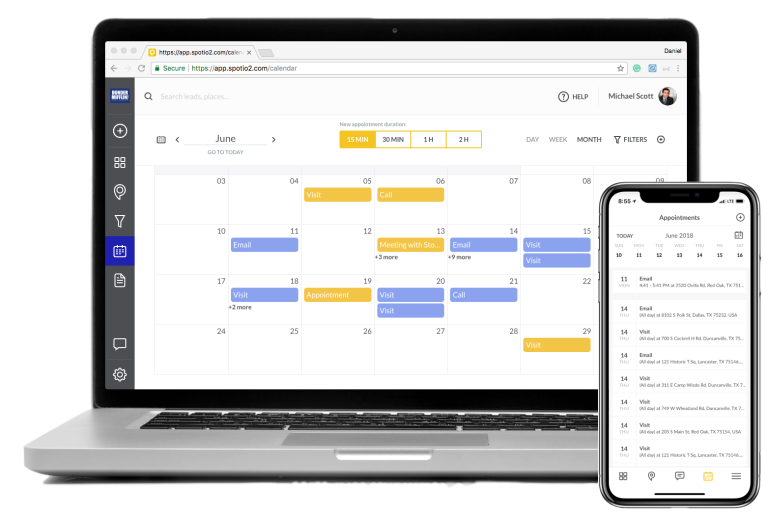
Meetings from Google Calendar and Microsoft Outlook sync into the plan as fixed stops, and SPOTIO builds the rest of the route around them. See all SPOTIO integrations.

One-Tap Navigation Handoff
Send the route to Google Maps, Apple Maps, or Waze with one tap, and use their live traffic data to stay on schedule.


Saved Route Templates
Save recurring routes as templates, so regular account visits follow the same efficient loop every time, for every rep who covers that territory.
A Day of Sales Route Planning with SPOTIO
Here’s how a rep’s day runs, from choosing the stops to re-planning when the day changes.
Step 1
Pick the Stops
Filter the map to priority leads and lasso the ones worth a visit.
Step 2
Build the Route
SPOTIO orders up to 150 stops in the rep’s territory around the appointments already booked.
Step 3
Prep Each Stop
DASH pulls up account history and recent interactions in a 10-second brief.
Step 4
Drive and Log
Hand off to your maps app, then log each visit with one tap.
Step 5
Re-Plan on the Fly
Drag stops into a new order or add nearby leads when plans change.
Why Field Sales Teams Choose SPOTIO for Route Planning
Route planners built for delivery drivers and service technicians look for the shortest drive. SPOTIO plans routes for selling.
Delivery tools treat every stop the same. SPOTIO filters and color-codes stops by deal stage, last visit result, and account value, so the route follows the revenue.
Managers and reps build routes on the web app, then reps run and re-optimize them from the SPOTIO mobile app when plans change.
Two-way sync with leading CRMs including Salesforce and HubSpot means every pin shows current CRM data, and every visit on the route updates your CRM.
Location-verified visits show managers which planned stops happened, so coaching is based on what reps did in the field, not guesswork.
Route Planning Connected to Your CRM and Calendar
Routes pull accounts from your CRM and appointments from your calendar, and every visit syncs back. Two-way sync with leading CRMs including Salesforce and HubSpot means reps never enter the same data twice.










Success Stories from the Field

“Partnering with SPOTIO has been a game-changer. All of our top producers use it. Everybody adopted it because it’s a bedrock of success.”
Avery Lawson
Executive VP, Wholesale Payments
B2B · Merchant services

“If you want to know how your salespeople are doing, there’s not a better tool on the market. I truly believe that.”
Mike Shirley
Chief Sales Officer, HomePro
B2B · Smart home installs for builders

“SPOTIO is awesome. It’s easy to use. And I guarantee you that it is worth the money.”
President
Storm Guard
B2C · Roofing and storm restoration
Sales Route Planning Resources
Guides for planning territories and routes that put field reps in front of more of the right customers.

FAQs
Answers to common questions about sales route planning with SPOTIO.
Sales route planning software helps field sales reps decide which customers and prospects to visit and in what order. It puts accounts on a map, builds multi-stop routes around booked appointments, and orders the stops to cut drive time, so reps spend more of the day selling. SPOTIO adds CRM data to every stop, so routes follow sales priorities, not just distance.
Route planning decides who to visit: which accounts and prospects belong on today’s route, based on priority, appointments, and territory. Route optimization decides the order: the most efficient sequence of those stops. SPOTIO does both. Reps choose stops by deal stage, last visit result, or Next Best Action, and SPOTIO optimizes the order.
SPOTIO handles up to 150 stops per route, so reps and managers can plan a full day or a full week of visits in one route.
Yes. Sales managers build routes in the SPOTIO web app and assign them to reps, and saved route templates keep recurring account visits consistent across the team.
Yes. SPOTIO syncs with Google Calendar and Microsoft Outlook, and scheduled appointments become fixed stops in the route plan. SPOTIO builds the rest of the route around them.
Yes. Reps drag stops into a new order, add or remove stops with the Lasso tool or search, and re-optimize the route from the SPOTIO mobile app whenever plans change.
SPOTIO hands each route off to Google Maps, Apple Maps, or Waze with one tap, so reps get those apps’ live traffic data and turn-by-turn directions.
Yes. Color-code and filter map pins by deal stage, last visit result, or custom fields, for example to show only hot leads, then build an optimized route to visit them. Next Best Action, a paid add-on, also recommends which accounts to visit next.
Yes. SPOTIO offers two-way sync with leading CRMs including Salesforce and HubSpot, so routes use current account data and every visit on the route syncs back to your CRM.
SPOTIO doesn’t offer a free plan. Pricing depends on team size and the features you need, and SPOTIO delivers the best return for teams of 5 or more field reps. See SPOTIO pricing or request a demo for a quote.

See SPOTIO in Action
- Territory management and route optimization
- Location-verified activity tracking
- DASH AI visit prep and follow-up
- Integrations with your CRM and tools
Get a Demo
"*" indicates required fields