
POS deals don’t close on the first visit. The merchant needs to see the demo, talk to a partner, check their contract terms, and think it over, usually in that order. Your rep walks out of visit one with interest and walks back in for visit two hoping the momentum held.
Most of the time, it didn’t. Between visits, the merchant got busy, a competitor showed up, or the whole conversation dropped off the radar. The teams that win in POS aren’t the ones with the best hardware. They’re the ones with a system for keeping deals alive across multiple touchpoints, and a strategy for walking into the right doors in the first place.
This playbook covers how to sell POS systems from territory selection through close, built specifically for field sales leaders running teams in restaurant, retail, and services verticals.
What POS Buyers Expect Today
Integration Demands Over Hardware Specs
The POS conversation has moved past dual screens and receipt printers. Merchants now lead with integration questions: does it connect to their inventory system, their loyalty platform, their accounting software? If your reps can’t demo a QuickBooks sync or an API connection on the spot, they’re behind before the pitch starts.
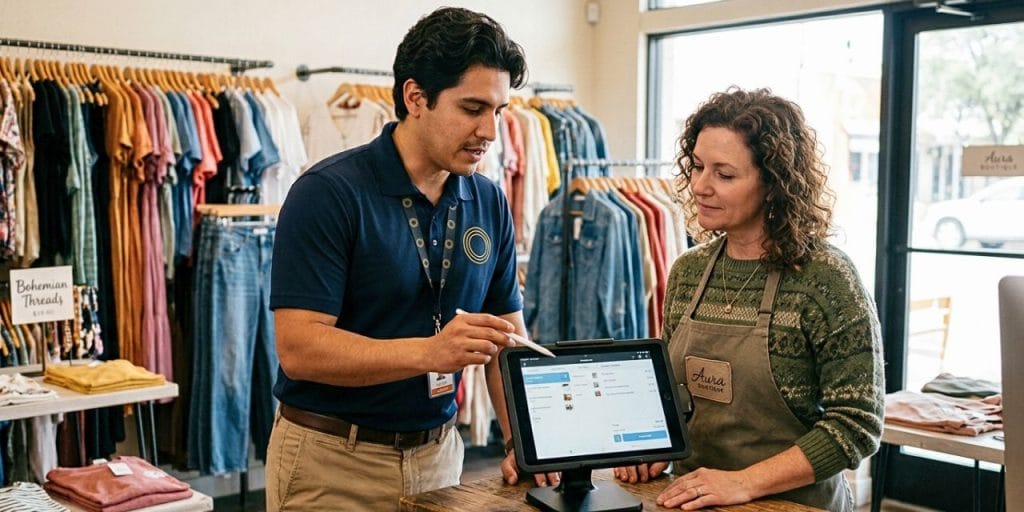
The shift matters for field teams because it changes what “demo-ready” means. A rep showing up with a physical terminal and a features brochure is selling last decade’s product. Equip reps with tablet-ready demos that show integrations in real time — accounting sync, loyalty enrollment, online ordering — so the merchant sees their workflow, not yours.
Faster Sales Cycles and Mobile-First Buyers
POS buyers increasingly research solutions on their phones before a rep ever walks in. Many expect a quick video walkthrough or a mobile demo link before committing to a full on-site meeting.
For field managers, this means the first touchpoint might not be the door knock — it might be a text with a 90-second demo video your rep sends after an initial intro. Teams that build this pre-visit touchpoint into their cadence compress the sales cycle and show up to the on-site visit with a warmer prospect.
Define Your Ideal POS Customer
Choose Your Merchant Vertical
A rep who walks into a restaurant and talks about barcode scanning has already lost. Each merchant vertical has different POS pain points, and your team needs to pick two or three verticals and go deep rather than trying to sell everywhere.
- Restaurants: Kitchen display system (KDS) integration, online ordering, delivery platform connections, tip management, and menu modifier handling. The objection you’ll hear: “We can’t afford downtime during the switchover.”
- Retail: Inventory forecasting, omnichannel selling (in-store + online), loyalty programs, and barcode/SKU management. The objection: “Our current system works fine — why switch?”
- Services (salons, auto shops, medical offices): Appointment booking integration, client records, recurring billing, and payment flexibility. The objection: “We don’t process enough volume to justify a new system.”
Pick your verticals based on where your team has the most domain knowledge and where merchant density supports a cluster-based territory approach.
Build a Field Qualification Scorecard
Not every merchant is worth a second visit. Give your reps a simple scorecard they can run mentally during the first conversation:
- Monthly transaction volume — Above your minimum threshold?
- Current system age — Legacy systems older than five years are the ripest replacement opportunities.
- Contract status — Month-to-month, locked in, or actively shopping?
- Decision-maker access — Can the rep reach the owner, or is there a gatekeeper?
A three-tier system keeps it clean: Best (high volume, legacy system, decision-maker present), Good (meets two of three), Skip (low volume or locked in long-term). Reps focus on Best accounts first.
Find and Prioritize POS Prospects
Map High-Density Merchant Clusters
POS prospects are concentrated. A single commercial block can have a dozen restaurants, a handful of retail shops, and a few service businesses — all potential accounts. The teams that map these clusters and work them systematically outsell the ones driving across town chasing scattered leads.
Start by identifying zip codes or neighborhoods with the highest concentration of your target verticals. Plot existing customers alongside open prospects on the same map. This shows where you have reference accounts nearby (which lower a prospect’s perceived switching risk) and where coverage gaps exist.
Cluster-based selling also generates natural referrals. A restaurant owner who switched to your POS system and likes it will mention it to the shop owner next door — but only if your rep is working that block consistently enough to capitalize on the introduction.
Source Leads Beyond Cold Knocking
Door knocking is the backbone, but it’s not the only way to find leads for POS sales:
- New business listings — Monitor commercial permits, new restaurant openings, and storefront lease announcements in your territory. A merchant setting up a new location needs a POS system on day one.
- POS vendor partner programs — Payment processors, merchant services ISOs, and business consultants all touch the same merchants you’re targeting. Build referral relationships with the ones who don’t sell POS directly.
- Industry events and trade shows — Restaurant association meetups, retail expos, and local chamber events put your reps in front of dozens of prospects in a single afternoon.
- Statement reviews from adjacent sales — If your company also handles merchant services, the processing statement review is a natural door-opener to a POS conversation.
Sell Outcomes, Not Hardware
Build a Simple ROI Conversation
Merchants don’t care about processor speed or screen resolution. They care about whether the system makes them money or saves them time. Your reps need to translate hardware specs into business outcomes the merchant can feel.
Here’s how a rep walks a restaurant owner through the math in under two minutes:
- “How many transactions do you run per day?” → Say 150.
- “How long does each checkout take right now?” → Say 90 seconds.
- “Our system cuts that to about 60 seconds — that’s 50 minutes saved daily. During a lunch rush, that’s five or six extra tables turned.”
- “What’s your average ticket?” → Say $35. “Six more table turns a day is roughly $210 in additional daily revenue.”
That’s not a features conversation. That’s a dollars-and-minutes conversation, and it’s what separates reps who close from reps who demo.
Use Vertical-Specific Proof Points
Generic case studies don’t move POS buyers. A restaurant owner wants to hear about another restaurant. A retail shop owner wants to hear about a store like theirs.
Build a short proof library organized by vertical — even two or three examples per vertical is enough. Each proof point should include the merchant type, the problem they had, and the measurable result after switching. Frame these as practitioner stories, not marketing testimonials: “A 12-location quick-service chain was losing 20 minutes per shift to manual inventory counts. After switching to a POS with automated stock alerts, they cut that to zero and reallocated those hours to customer service.”
Reps who walk in with a vertical-specific story relevant to the prospect sitting across from them close faster than reps who lead with a generic features sheet.
Handle the Objections POS Buyers Always Raise
“We Already Have a System”
This is the most common objection in POS sales, and it’s actually a buying signal — it means they’re processing transactions and have budget allocated for a POS solution. The response isn’t to attack their current system. It’s to find the gap.
“That’s great — most of our best customers came from a competitor system. What’s the one thing you wish it did better?” Then listen. The answer — whether it’s reporting, integration, speed, or support — is your opening.
“It’s Too Expensive to Switch”
Switching costs are real, and merchants know it. Don’t dismiss the concern. Instead, break the cost into components so the merchant can see what they’re actually paying for versus what they’re giving up:
- Hardware — Is their current hardware paid off? If so, focus on the software subscription value.
- Training — How long will the transition take? Be honest about the timeline and offer installation and training support.
- Downtime risk — This is the real fear. Address it directly: explain your onboarding process, offer after-hours setup, or propose a parallel-run period.
The goal is to make the cost of staying visible, not just the cost of switching.
“We Don’t Have Time for a New Setup”
Time is the hidden objection behind most POS hesitations. Merchants are busy — they’re running a business, not evaluating software. Respect that.
Offer a structured timeline: “Setup takes X hours, we do it after your close on a Tuesday night, and your team is trained by Thursday morning.” Specificity kills vague fear. When the merchant can see exactly how much time it takes and when it happens, the objection shrinks.
One guardrail for managers: define the handoff point before the deal closes, not after. Your rep should introduce the implementation or support team during the sale — “Here’s who handles your install, here’s their number” — so the merchant knows who to call on day one. Without that boundary, reps become unpaid tech support for the first 30 days of every rollout, and every hour they spend troubleshooting a kitchen display is an hour they’re not knocking on the next door.
Bundle Services to Increase Deal Size
What to Package Together
POS deals get bigger and stickier when reps bundle multiple services into a single contract. Instead of selling a terminal, sell a solution:
- POS hardware and software
- Payment processing
- Loyalty program management
- Wi-Fi and network setup
- Installation and ongoing technical support
Merchants prefer dealing with one vendor over five. One invoice, one support number, one relationship. And for your company, a bundled deal has higher retention — the more services tied to your POS, the harder it is for a competitor to unbundle you.
How Bundling Reduces Churn
A merchant using your POS for transactions, loyalty, and payment processing has three reasons to stay. A merchant using your POS for transactions only has one. The switching cost compounds with every integrated service, which means your renewal rates climb without additional sales effort.
Frame bundling as a benefit to the merchant, not a lock-in tactic: “You get one vendor for everything, one support line, and one monthly bill. If something breaks, you call us — not four different companies.”
Use Multichannel Follow-Up to Close
Build a Post-Visit Cadence
POS deals require multiple visits, and the gap between visits is where most deals die. A rep who walks out of visit one and doesn’t follow up until visit two — sometimes a week or more later — is handing the deal to whoever contacts the merchant next.
Build a standard cadence:
- Same day: Text thanking the merchant for their time and confirming the next step. (“Got your info — I’ll have a comparison ready by Thursday.”)
- Day 2–3: Email with a one-page summary tailored to their vertical and pain points.
- Day 5–7: Phone call to answer questions and schedule the next in-person visit.
- Day 10+: If no response, a brief text checking in — then shift to a longer nurture cadence.
The cadence isn’t aggressive. It’s structured. Merchants respect reps who follow through consistently because most reps don’t.
Track Every Touchpoint in One System
When call notes live in the phone app, text threads in iMessage, visit logs in a spreadsheet, and email records in a personal inbox, your manager has no visibility — and your rep has no system. Deals fall through the cracks not because the rep is lazy but because there’s no single place showing where every prospect stands.
Centralizing every touchpoint — visits, calls, texts, emails — into one field sales solution gives reps a clear view of their pipeline and gives managers the coaching data they need to intervene before deals go cold. When a rep can open a prospect record and see every interaction in chronological order, the follow-up conversation is sharper and the merchant feels remembered, not re-sold.
Field teams that use multichannel sequences to structure this cadence report higher follow-through rates because the system prompts the next action rather than relying on the rep’s memory.
Frequently Asked Questions
Start by picking two or three merchant verticals your team knows well — restaurant, retail, or services — and build your prospecting, demos, and objection handling around each vertical’s specific pain points. From there, it’s a territory and activity discipline: map high-density clusters, set daily visit minimums, and track the follow-up touchpoints between visits. The teams that systematize these fundamentals consistently outperform those relying on individual hustle.
Keeping deals alive between visits. POS sales almost always require multiple touchpoints — the initial demo, the comparison review, and the close — spread across days or weeks. Most deals stall in those gaps because reps don’t have a structured follow-up cadence. Building a same-day text, day-three email, day-seven call rhythm is the single highest-leverage change a manager can make.
Territory density mapping is the foundation — identify zip codes or neighborhoods with concentrated clusters of your target verticals and work them systematically. Beyond door knocking, monitor new business listings (commercial permits, new restaurant openings), build referral relationships with merchant services ISOs and payment processors, and attend local industry events. The best POS leads often come from adjacent sales conversations — a merchant services rep reviewing a processing statement naturally opens the door to a POS conversation.
It depends on the buyer. Single-location restaurants and shops often decide within 30 days — one or two demos and a proposal is usually enough. Multi-location retail or franchise deals stretch to 45–60 days or longer because they involve IT, finance, and operations stakeholders. The common thread is that POS sales are multi-visit regardless of size, so your cadence between visits matters more than the length of any single meeting.
Yes. Many POS companies use a reseller or independent agent model similar to merchant services. Compensation typically includes a one-time commission on hardware and an ongoing residual on software subscriptions and payment processing volume. The income compounds as your installed base grows, making retention and long-term merchant relationships as important as new business. Check whether the POS manufacturer offers agent certification and co-branded sales collateral before committing to a partnership.
At minimum: a CRM or field sales execution platform that tracks visits, calls, and pipeline stages in one place; territory management to prevent rep overlap and ensure coverage; route planning to keep reps in-territory and stacking visits efficiently; and multichannel follow-up tools to keep deals moving between in-person visits. If your activity data lives in three different systems, you’ve created more admin work, not less.
Start Closing More POS Deals
POS selling is a multi-visit, multi-touchpoint game played in dense merchant territories. The teams that win aren’t running better demos — they’re running tighter operations: focused verticals, mapped clusters, structured follow-up, and one system holding it all together.
See how SPOTIO works for business services teams →

Trey Gibson is the founder and CEO of SPOTIO, where he helps sales leaders build more efficient, high-performing field sales teams. With a background in entrepreneurship and as the founder of a roofing company, Trey brings hands-on experience leading door-to-door and B2B sales organizations. He combines real-world sales leadership with a passion for technology and operational efficiency to help teams scale, perform, and win more deals.
Research and drafting assisted by AI tools; all content is reviewed, fact-checked, and approved by Trey and the SPOTIO editorial team.