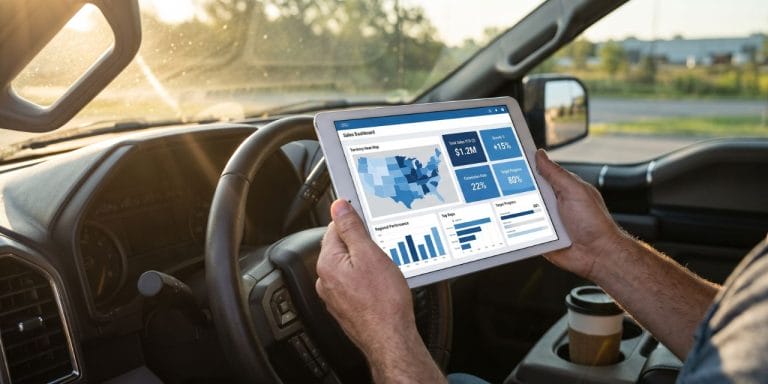

Your reps are spending 21% of their week on admin tasks and data entry. That’s roughly eight hours that could go toward selling, and the number gets worse for B2B teams, where it climbs to 25%. The data comes from SPOTIO’s 2026 State of Field Sales research, and if those numbers feel familiar, you already know the problem.
Salesforce’s State of Sales research consistently finds that reps spend less than a third of their week actively selling. For field teams, the problem is even more pronounced because the manual steps are physical, not just digital: driving to the wrong address, typing notes in a parking lot, reconstructing visit details from memory at 9 PM. Field sales workflow automation replaces those manual steps so reps spend more of their day selling face-to-face.
The Daily Workflow, Step by Step
The sections below walk through a field rep’s day from first stop to last follow-up, showing where automation fits at each stage.
Morning: Territory and Route Planning
Before a rep pulls out of the driveway, they need to know where they’re going and why. Without automation, that means checking a spreadsheet for assigned accounts, manually plotting stops, and hoping nothing changed overnight.
With a field sales platform, territory assignments are set at the manager level and visible on the rep’s phone. Routes are built from those assignments. And if a manager reassigns an account in the CRM, the change shows up on the rep’s mobile view automatically through two-way sync with leading CRMs.
One distribution company discovered after importing their territory data that 60 to 80% of their West Coast territory was uninhabited land. Their reps had been driving through empty zip codes for months. That’s the kind of gap that surfaces once territory planning moves from spreadsheets to a system that visualizes coverage on a map.
For teams that work in areas with inconsistent cell coverage, SPOTIO’s Download My Day feature lets reps pre-load their territory and work offline for up to 24 hours. Data syncs automatically when connectivity returns.
In the Field: Check-Ins, Data Capture, and CRM Sync
This is where the biggest time savings live. A rep finishes a visit, and in the manual world, they either type notes into their phone in the parking lot or promise themselves they’ll do it tonight. Neither version gives you reliable data.
With one-tap check-ins, a rep logs every stop the moment it happens. The activity is GPS-verified, time-stamped, and synced to the CRM before they start the car. Managers see territory coverage from location-verified activity data, and the data is clean enough to actually coach from.
Configurable custom fields let reps capture visit-specific information at the point of contact: outcomes, competitor mentions, photos, next steps. That record flows directly into your pipeline through two-way CRM sync without a second system or a spreadsheet in between.
For a deeper look at how this fits into the broader automation category, see our field sales automation guide.
Between Stops: Voice Input and AI-Assisted Updates
The minutes between appointments are dead time. Reps are driving and can’t type. That gap is where records go incomplete.
Voice-to-CRM closes that gap. Instead of dictating freeform notes into a text field, reps speak naturally, review a confirmation preview, and the system populates structured CRM fields from that input. A five-minute typing session becomes a 30-second voice capture, and the data lands in the right fields, not in a notes blob that nobody reads.
SPOTIO’s DASH IQ can also pull up a quick account summary before the next door. Ten seconds of prep between stops beats walking in cold.
Every DASH AI action shows a confirmation preview before writing to SPOTIO. The rep reviews and approves. Nothing updates without a human in the loop.
End of Day: Follow-Up Sequences and Pipeline Updates
The visit is done, but the work isn’t. Without automation, reps sit down at their kitchen table and reconstruct the day: updating CRM records, sending follow-up emails, scheduling next touches. It’s the admin session that everyone hates and most reps shortcut.
With enrollment-based follow-up sequences (SPOTIO calls them AutoPlays), a rep enrolls a prospect into a pre-built sequence right from the visit screen. Managers build sequences for the scenarios that repeat: post-demo follow-up, quote follow-up, no-show re-engagement, new prospect nurture. Each sequence defines the timing, channel (email, text, or phone task), and message template. The rep doesn’t have to decide what to send or when.
When a touch fires, SPOTIO drafts a personalized message using data from the prospect record and the rep’s recent activity. The rep reviews the draft, edits if needed, and sends. Nothing goes out without approval. That review step is what keeps sequenced outreach from sounding like a mass blast.
Because every visit was already logged with one-tap check-ins and custom field data earlier in the day, the CRM is already current. There’s no end-of-day data entry session. The pipeline reflects what actually happened in the field, and managers can see it without sending a “how’d today go?” text.
Five Workflows to Automate First
If you’re building the case internally or rolling out automation in phases, here’s where to start. These five workflows address the highest-friction manual steps in most field operations.
Activity Logging
One-tap, location-verified check-ins replace parking-lot data entry. Managers trust the data without micromanaging because every logged visit is tied to a real location and timestamp. The key to adoption: reps log check-ins themselves with one tap rather than being passively tracked, so the system proves their effort instead of policing their movements.
For example, a roofing company running storm restoration crews had reps canvassing the same neighborhoods after hail events without knowing it. They had no way to see who had already knocked which doors. After centralizing activity logging, territory coverage became visible for the first time and managers could assign storm-event territories using HailTrace data so crews weren’t overlapping.
CRM Data Entry
Two-way sync with leading CRMs eliminates double-entry entirely. Field activity logged on a rep’s phone appears in the CRM automatically, and CRM changes flow back to the rep’s mobile view. SPOTIO’s 2026 SOFS research found that nearly two-thirds of B2B reps spend five or more hours per week on CRM data entry alone. Automation reclaims most of that.
Follow-Up Sequencing
This is where most field teams leak deals. A rep has a strong visit, promises to send pricing, and then gets pulled into the next stop. By end of day, the follow-up is a memory. By end of week, it’s gone.
Enrollment-based sequences solve the timing problem without removing the rep from the conversation. After a visit, the rep enrolls the prospect into an AutoPlay matched to the situation. A post-demo sequence might send a thank-you email within two hours, a pricing PDF the next morning, and a check-in text three days later. Each message is drafted from the prospect’s record, so it reads like the rep wrote it, not a template engine.
The rep reviews and approves every send. Managers see enrollment rates and sequence completion across the team, so they can spot reps who aren’t using sequences and deals that stalled mid-sequence. That visibility makes follow-up coachable instead of invisible.
Territory Coverage Reporting
Managers see coverage gaps from verified activity data without requesting weekly spreadsheets. When every visit is logged with location and outcome data, territory reviews become a dashboard check, not a data-gathering exercise. A telecom company had no naming conventions, no territory hierarchy, and no way to report on coverage before adopting a centralized system. The visibility alone changed how they planned.
Prospect Discovery and Qualification
For B2C and D2D teams, Lead Machine uses 15 data points to surface prospects worth visiting. For B2B teams, prospect filtering narrows the list by industry, company size, and other criteria. The lasso tool lets reps select prospects directly on the map to build a focused visit list.
Not sure which workflow to automate first? Get a personalized walkthrough →
How Field Sales Automation Tools Compare
Not every platform automates workflows at the same depth. Here’s a quick orientation on what each does well and where the gaps are.
- SPOTIO: Full daily workflow coverage from territory assignment through follow-up sequences. Two-way sync with leading CRMs. Voice-to-CRM and AI-assisted updates through DASH (confirmation preview on every action). Offline support via Download My Day.
- Badger Maps: Strong route planning and CRM data visualization on a map. Lighter on in-field data capture and follow-up automation.
- SalesRabbit: Built for D2D canvassing workflows with area management and digital contracts. CRM integration available but less depth for teams running Salesforce or HubSpot as their system of record.
- Map My Customers: Visual CRM and route planning with a short learning curve. More limited automation capabilities and integration depth compared to purpose-built field execution platforms.
- RepMove: Route planning and basic activity tracking. Good entry point for small teams but thinner on workflow automation and CRM sync.
For a full side-by-side evaluation, see our field sales management software comparison.
Measuring the Impact After 90 Days
Metrics That Show Automation Is Working
Track these four numbers in the first 90 days to see whether automation is delivering.
Visits per day. If reps are spending less time on admin, visits should increase. Track the weekly average per rep before and after rollout.
CRM data completeness. Measure the percentage of visit records with all required fields filled. Automation should push this above 90%. If it doesn’t, the issue is usually field adoption, not the tool.
Follow-up response rate. Guided sequences should improve follow-up timing and consistency. Track reply rates and meeting-set rates from sequenced outreach vs. manual follow-up.
Admin hours reclaimed. Survey your team or track time allocation before and after. The SOFS benchmark is 21% of the week on admin (combined). Your team’s starting number is the baseline.
The connection between automation and retention is worth watching too. SPOTIO’s 2026 SOFS found that low-turnover teams adopt CRM at 78% vs. 54% for high-turnover teams, and are 2.4x more likely to run just one or two systems rather than five or more. Consolidating tools and reducing manual work isn’t just a productivity play.
When to Expand
Start with one workflow (activity logging is the fastest win for most teams). Measure for 30 days. Once adoption stabilizes and the data proves the value, expand to CRM sync and follow-up sequences. The pilot-measure-expand pattern avoids the “big bang” rollout that overwhelms reps and kills adoption.
For a more detailed implementation framework, see the “How to Implement” section of our field sales automation guide.
Frequently Asked Questions
The leading field sales workflow automation tools include SPOTIO, Badger Maps, SalesRabbit, Map My Customers, and RepMove. SPOTIO covers the full daily workflow from territory planning through follow-up sequences, with two-way CRM sync and voice-to-CRM for in-field data capture. Badger Maps focuses on route planning and CRM visualization. SalesRabbit is built for D2D canvassing. The right choice depends on your team’s workflow gaps, CRM stack, and whether you need a visualization layer or a full execution platform.
Most teams see measurable improvements within 30 to 90 days. Activity logging and CRM sync show results fastest because they eliminate manual steps reps do every day. Follow-up sequencing takes longer to measure because the impact shows up in pipeline metrics over weeks. Start with the highest-friction workflow, track visits per day and CRM data completeness, and expand once adoption stabilizes. SPOTIO’s 2026 SOFS found that teams running fewer systems with higher CRM adoption consistently outperform on quota attainment and retention.
Some can, and it matters more than most buyers realize. Field reps work in basements, rural areas, and dead zones where connectivity drops. SPOTIO’s Download My Day feature lets reps pre-load their territory and log check-ins offline for up to 24 hours. Data syncs automatically when connectivity returns. Not all platforms offer this. Before committing, test the offline experience on the devices your reps actually carry in the field.
Start With One Workflow
You don’t need to automate everything on day one. Pick the manual step that burns the most time for your team, whether that’s parking-lot data entry, end-of-day CRM updates, or territory planning on spreadsheets. Automate that one workflow, measure the results, and expand from there.
See how SPOTIO automates your team’s daily workflow →